
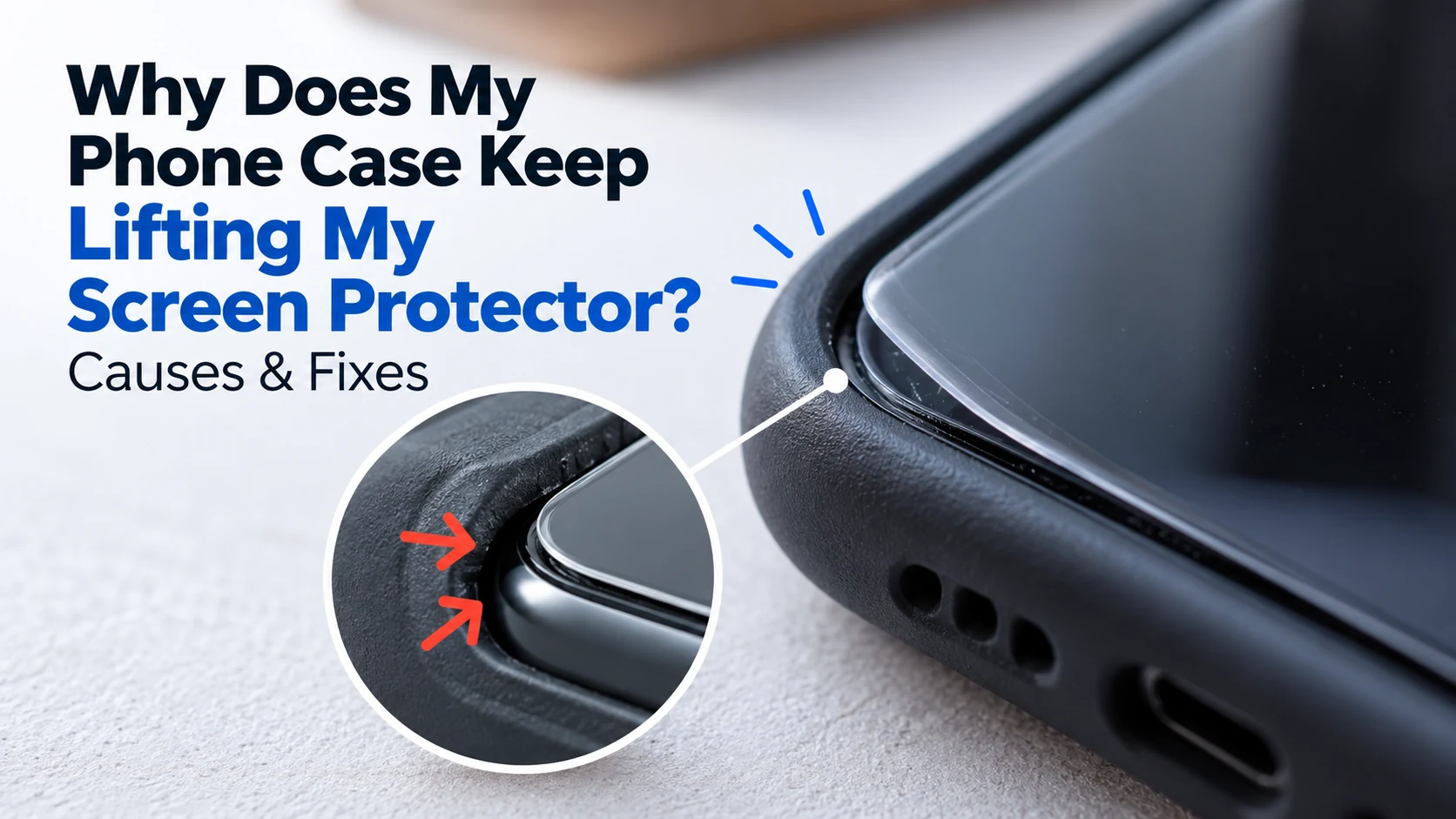
You put on a brand new screen protector, snapped your case back on, and a few days later you notice the edge peeling up near the corner. It’s one of the most common complaints we hear, and it’s rarely a sign that you did something wrong. In most cases, the case and the screen protector simply aren’t working together the way they should.
This guide walks through how to tell what’s actually happening, how to fix a lifted edge without damaging your screen, why it keeps happening in the first place, and how to stop it for good. If you’d rather have it looked at in person, our team at SellPhone Lab can check the fit and reapply it correctly the same day.
How to Tell If Your Phone Case Is Lifting the Screen Protector
The clearest sign is a visible gap or ridge along one edge of the screen, usually near a corner or along the side closest to the case’s raised lip. Run a finger gently across the surface. If you feel a bump or catch where the protector meets the glass, instead of one smooth surface, the case is very likely pressing against the edge and pushing it up. You may also notice dust collecting under the lifted section, or the protector shifting slightly when you press on that corner. If this started shortly after installing a new case, rather than happening gradually over months, the case itself is almost always the cause.
How to Fix a Screen Protector That Keeps Lifting With a Case
Before buying a replacement, it’s worth trying to fix the one you already have. Most lifting issues can be corrected in a few minutes without ruining the protector.
Remove the Case and Check the Screen Protector Fit
Take the case off completely and look at the protector on its own. Check whether it sits flush against the screen on every edge, or whether it was already slightly misaligned before the case was ever involved. A protector that was cut even a fraction too large for your specific model will naturally catch on a case’s inner lip, no matter how carefully you reinstall it.
Clean and Reseat the Lifted Edge Safely
If you notice dust beneath a lifted edge, carefully raise only the affected section and use a dust-removal sticker to lift away the particles. Avoid touching or rubbing the adhesive surface. Once clean, lower the protector gently and press from the centre toward the edge using a microfiber-wrapped fingertip. Avoid using fingernails or sharp objects, since they can scratch the adhesive layer or crack a tempered glass protector. If the adhesive underneath feels dry or won’t hold after a couple of attempts, that section of the protector has likely lost its grip for good.
Test the Case Fit Before Reinstalling It
Before snapping the case back on, check the inside edge of the case itself for a raised lip around the screen opening. Some cases are designed with a thicker border specifically to protect the screen, but that same border can push directly against a thick or slightly oversized protector. If the case’s inner edge sits higher than the protector’s thickness, that mismatch is what’s pressing the edge up every time the case is installed.
Why Does a Phone Case Make a Screen Protector Lift?
Understanding the actual cause helps you avoid buying another case or protector that runs into the same problem.
Raised Case Edges Putting Pressure on the Protector
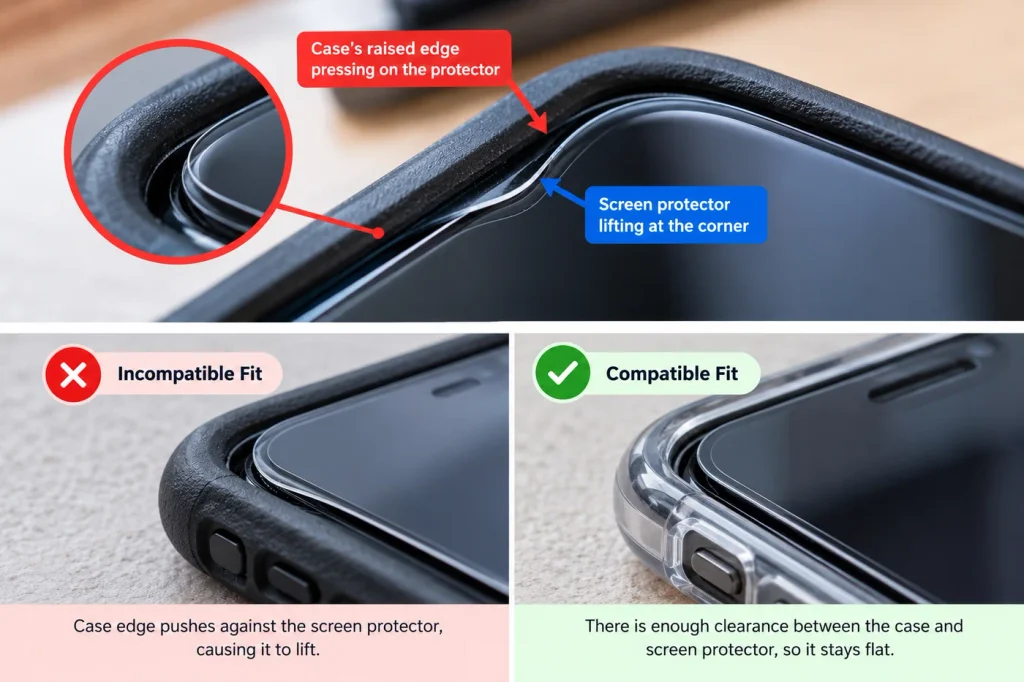
Many cases, especially ones built with a raised bezel for extra screen protection, are not designed with every screen protector thickness in mind. A tempered glass protector with rounded edges can sit noticeably higher than a thin plastic film, and a case made to fit the thinner option will press directly down on the glass edge, lifting it over time.
Incorrect Screen Protector Size or Alignment
Screen protectors are cut to match specific phone models, and even a small size mismatch, often from a lower cost or generic brand, leaves extra material that catches against the case. Misalignment during installation has the same effect, since an edge that isn’t seated evenly gives the case something to push against the moment it’s installed.
Dust, Weak Adhesion, or Curved Screen Edges
Trapped dust or fingerprints under the edge during installation prevent the adhesive from bonding fully, leaving that section more vulnerable to lifting under pressure. Phones with curved screen edges make this worse, since a flat protector naturally struggles to hug the curve, and a case pressing against that already weak point accelerates the lift.
Can You Reuse a Lifting Screen Protector or Should You Replace It?
If the protector lifts because of a case issue and the adhesive is still intact, cleaning and reseating it usually solves the problem without needing a replacement. But if the edge has lifted more than once, if the adhesive feels dry or no longer tacky, or if you notice the protector has shifted out of alignment, it’s time to replace it rather than keep fighting the same spot. Continuing to use a protector that won’t stay sealed lets dust and moisture work their way underneath, which affects touch sensitivity and clarity over time. A fresh, correctly sized protector paired with a compatible case solves the root issue instead of patching it repeatedly.
How to Prevent Your Screen Protector From Lifting Again
A little attention at the time of installation prevents almost every repeat of this problem.
Choose a Case-Friendly Screen Protector
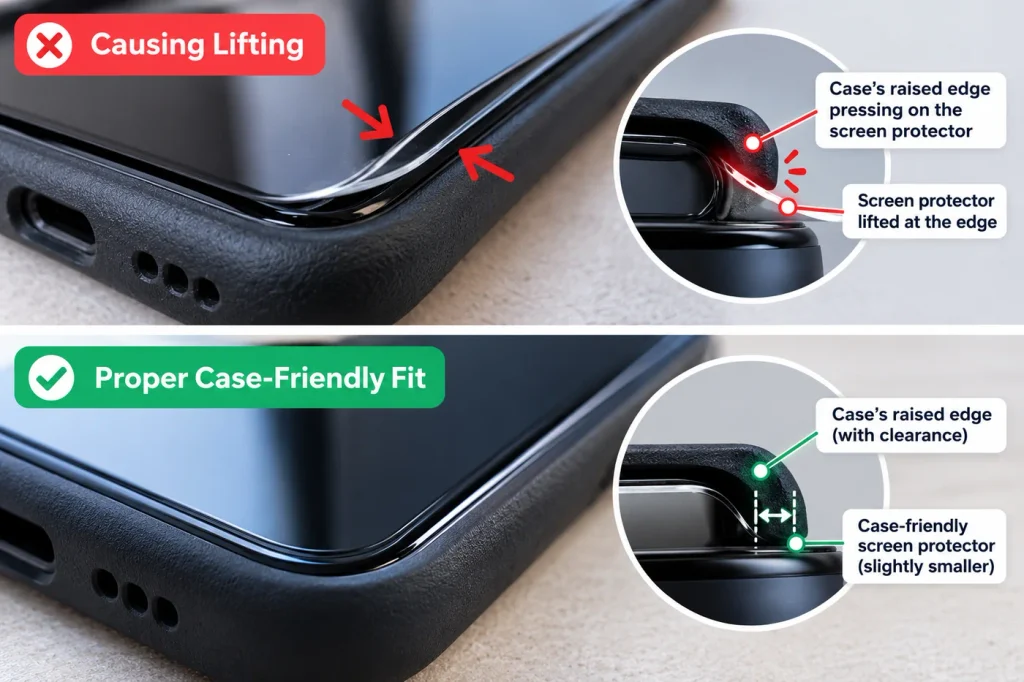
Choose a case-friendly screen protector designed to leave a small gap between the protector’s edge and the phone case. Unlike some full-coverage protectors, case-friendly designs stop slightly short of the screen’s outer edge, preventing the case’s raised lip from pressing against the glass. Always confirm compatibility with your specific case and phone model.
Check Compatibility and Install It Correctly
Always confirm the protector is made for your exact phone model, not just your phone’s general size category, since even similar models can have different screen curves and camera cutouts. During installation, use a clean, dust-free surface, align the protector carefully before letting it bond, and press firmly from the center outward to push out any trapped air or debris before testing the case fit. If you’re unsure which combination will work together, our team at SellPhone Lab can recommend a case and protector pairing that’s confirmed to fit your specific device.
Frequently Asked Questions
Will a Screen Protector Stick Again After Lifting?
Sometimes. If the adhesive is still in good condition and the lift was caused by trapped dust or pressure from a case, cleaning and reseating it usually works. If the adhesive has dried out or the protector has lifted repeatedly, it won’t bond reliably again and should be replaced.
Can a Tight Phone Case Damage a Tempered Glass Screen Protector?
Yes. A case that fits too tightly or has a raised inner edge can apply constant pressure on the glass border, which may cause it to lift, shift out of place, or in some cases crack along the edge over time.
Why Does My Screen Protector Keep Lifting at the Corners?
Corners are the weakest point on most screen protectors because they curve the most and have the least surface area for the adhesive to grip. A case with a raised corner lip, combined with a protector that isn’t precisely sized, puts the most pressure exactly where the bond is already the most fragile.
